rootcard: A new take on the password login, and an ID card for the web
by Hexagon, 9 minutes read rootcard security passwords identity authentication rust javascript xigna federation post-quantum
So, there I was, with a game server where anyone could log in with just a name. The game is Xigna, a space MMO I'm building, and it needed real accounts. That should be easy. Hash the password, store the hash, add a reset by e-mail, done. But the more I looked at it, the less I liked it. A couple of weeks later I had built rootcard instead.
I have always been interested in online security. Some of you may remember the series on SSH keys and passwordless login, or the post on hardening a Linux server. I also like federated solutions, where no single server owns everything. So when Xigna needed logins, I didn't want to just pick a library and move on.
The normal password login
The normal login works like this: you type your password, the browser sends it to the server, and the server compares it with a stored hash. We have done it this way for decades. But when I thought about what it means for a player of my game, I found some problems:
- The server sees the password at every login. It should hash it and forget it, but you have to trust that it does.
- The server stores something that can be guessed against. If the database leaks, every hash can be attacked offline. Many people use the same password everywhere.
- The account is a row in my database. If I shut down the server, or lose the database, the account is gone.
- The password reset goes through e-mail. Whoever controls your inbox controls your account. And now I have to send e-mail and store addresses, for a game.
So I looked at the alternatives.
The alternatives
OAuth / "Sign in with ..." moves the password to someone else. The provider gets the password instead. It decides if you can log in, and it can lock you out or log in as you. For a small game, I didn't want players to tie their pilot to a big tech account.
Passkeys (WebAuthn) are great, and the best protection against phishing today. But a passkey is bound to one site's domain, and is usually stored by your platform (Apple, Google, Microsoft). It gives you a better login to one site, not an identity you can take with you.
OPAQUE and similar protocols keep the password away from the server, which is what I wanted. But they need a secret on each server and a lot of cryptography in the browser, and the account still belongs to that one server.
None of them did everything I wanted. In the end, my list looked like this:
- The password never leaves the user's device.
- The server stores nothing that can be used to guess the password, or to replay a login.
- The account does not belong to the server. It can move, and live on after the server is gone.
- Others can check who you are, without asking a central service.
- No reset by e-mail that someone else could take over.
- For the player, it still looks like a username and a password.
- It works everywhere, not only in my game: any service, any language, any server.
- In the long run, it should be quantum-safe, without everyone having to start over.
The idea: an ID card
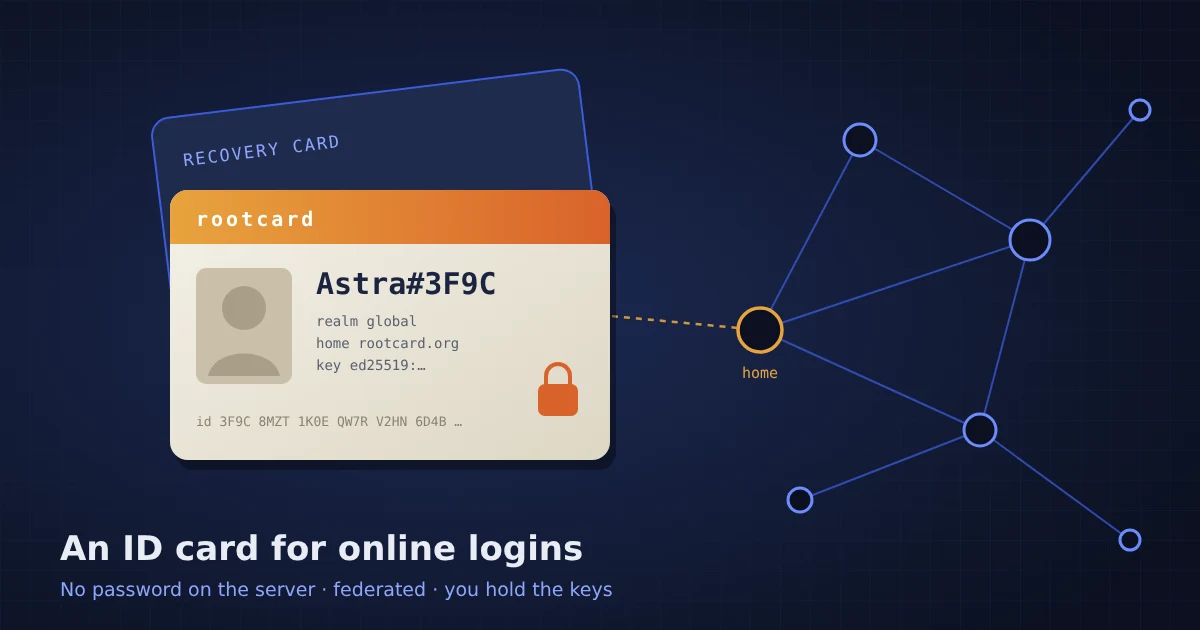
The main idea is simple. The account is not a row on the server. It is something the user holds, like an ID card.
When you create a rootcard, the browser creates a recovery key. It is 32
random bytes, shown once as a recovery card (RCR-....). You save it and keep
it somewhere safe. The recovery key signs a first statement with your username
and realm. The account id is the hash of that statement:
inception  = { v: 1, kind: "incept", seq: 0, realm: "xigna", username: "Astra", recovery: "ed25519:<public key>" }
             signed by the recovery key
account id = SHA-256("rootcard/id/v1" ‖ canonical(inception))
Nobody needs to hand out ids. And nobody can fake an id without breaking
SHA-256 or Ed25519, because to use an id you need the private key behind it.
People see the id as Astra#3F9C: the name and the first four characters of
the id.
Next, the recovery key signs an instance. It contains a new account key and the server that is your home. The account key and your private data are put in a vault. The vault is encrypted in the browser and locked with your password (Argon2id, 64 MiB). Your home stores the vault, but can't open it.
To log in:
- The browser proves that it knows the password, and gets the vault.
- It opens the vault locally. Now the account key is in memory.
- It signs a one-time challenge from the server with the account key.
The password is never sent. The server stores no password hash and never runs Argon2id. The signature is bound to the server, its address, the realm and the exact version of the account. A copied login can't be used anywhere else. If a phishing site passes the login on to the real server, it fails, because the signature contains the address the browser really connected to. But a fake page can still trick you into typing your password. More on that below.
Two levels of power
I spent a lot of time on what a password should be allowed to do. In rootcard, the password has low power. It can log in, edit your profile and private data, download the account, and prove who you are. Everything that changes who can use the account, where it lives, or if it exists at all, needs the recovery key. You only type the recovery key into the key tool (a command line tool, or an HTML page you open from your own disk). Never into a game or a website.
This gives some nice results:
- Forgot your password? Open the key tool, load the recovery card and set a new password. No e-mail, no support. All old passwords, vaults and sessions stop working at once.
- Your server is gone? The recovery card signs a new instance on another server. Same id, same name. But if you didn't download your account file, the private data and profile are gone with the server.
- Want to move? Download your account as one file, and move it with the card. Your password still works.
It also means there is no backdoor. Without the recovery card, nobody can help you, not even your home server. I thought about this for a long time. But every way to "help" is also a way for someone else to take the account, so there is none.
One identity for many services
The id proves itself, and the history is public: a log where every event is signed by the recovery key. So any other service can check who you are on its own. It sends a challenge, you sign it, and it checks the signature against your log. There is no central API, and it doesn't have to trust your home server. The proofs are in the libraries today. A standard sign-in flow for other websites, built on them, is still a draft proposal.
This is where the "ID card" part comes in. Xigna is its own rootcard server.
But a player can also log in with a card whose home is somewhere else, like
rootcard.org, the public home for the global realm.
The pilot is tied to the account id, which never changes. So a new password, or
a move to another home, does not change anything in the game.
Federated, not central
rootcard.org is one home of many, not a central server. Anyone can run a home,
for their own application or for the global realm. The code behind
rootcard.org is open, and can be used as a template. Servers in the same realm
can share the public logs and profiles (never the vaults). Each server checks
everything by itself and does not trust the others.
That is the federated part I wanted. No company in the middle, nothing to sign up for, and your identity is the same wherever it lives. The protocol is plain HTTP and signatures, so a command line tool can log in just like a browser. The core comes in Rust and JavaScript. The ready-made server helpers are only in Rust for now.
Quantum safety: a long-term goal
rootcard is not quantum-safe today. A big enough quantum computer would break the signatures and key exchange it uses now (Ed25519 and X25519). But quantum safety is a long-term goal, and the format is designed with that in mind.
Hashes are much stronger against quantum computers than signatures. Grover's algorithm only halves the strength of SHA-256, and that still leaves about 128 bits. So the account id is a SHA-256 hash, and it is the one thing that never changes. Everything around it can be replaced:
- Every key has a type (
ed25519:...), every structure has a versionv, and every signature has a versioned label (rootcard/id/v1). - The plan is to add post-quantum algorithms like ML-DSA and ML-KEM as new key types. You would switch to them by rotating the recovery key, or by signing a new instance.
- The id would stay the same, and so would your name and every account tied to it, as long as the switch happens in time.
None of this is built yet. The switch has to happen before a quantum attacker exists, because such an attacker could fake today's Ed25519 signatures. And a vault stored today could in theory be opened later. I can't say when it will happen. What I can say is that the format leaves room for it.
What it is not (yet)
I don't want to promise too much. There are limits, and they are listed in the threat model:
- Whoever has the vault (your home, or someone who steals its database) can still try to guess your password offline. Argon2id and the password rules make that slow, but not impossible. The difference from a normal login is that only your home has the vault.
- Your home serves the page where you type your password. A bad home could capture it. That is why the password has low power, and why you choose your home.
- A fake page can still phish your password. Passkeys as a way to open the vault are planned, which should give the best of both.
- If someone steals your recovery key, they control the identity. Witnesses and pre-rotation are planned for a later format version.
- It is not quantum-safe yet, see above.
- It is new, and has not had an external security review. Don't use it for anything of high value before 1.0.
How it is built
Security is the whole point, so the project has strict rules:
- The spec comes first. Every format, label and rule is in SPEC.md. Each rule has an id, and the tests refer to it.
- Rust and JavaScript give exactly the same bytes. The core is both a Rust crate and an npm package with zero dependencies, with the same functions. Both are tested against shared test vectors made by the Rust code. A differential test also sends broken inputs to both and compares the results. It found two differences, which is why it's there.
- No home-made cryptography, except one thing: Argon2id in JavaScript, because WebCrypto doesn't have it. Everything else is Ed25519, X25519, SHA-256, HKDF and AES-GCM, from WebCrypto or from audited Rust crates.
- Parsers and verifiers are fuzzed, and so is the server router.
- Releases are only published from CI, with trusted publishing and npm provenance.
I also had good help from AI along the way. Going through the threat model, writing tests for every way a check should fail, and keeping two implementations, a spec and the docs in sync is a lot of work. That help made rootcard more secure and more complete than I could have made it alone in the same time.
Try it out
The easiest place to start is rootcard.org. It is a
public home for the global realm. There you can create a card in the browser,
sign in, look up and check other cards, and download the key tool. You don't
need a server or a command line. The cryptography runs in your browser, so the
server never gets your password or recovery key. But you do type the password
into a page that rootcard.org serves, so it is a home you have to trust (see
above). Save the recovery card when you get it. That is the whole point.
You can also create a pilot in Xigna, or log in there with the card you made at rootcard.org.
To build with it, there are four packages:
| Registry | Package | What |
|---|---|---|
| crates.io | rootcard |
The core: formats, verification, vault, proofs. No I/O |
| crates.io | rootcard-cli |
The key tool, binary rootcard |
| crates.io | rootcard-host |
Server helpers: challenges, storage, an HTTP router |
| npm | rootcard |
The same core in plain ES modules, and keytool.html |
To add it to your own service, the getting started guide has code for applications, servers and services that check proofs.
The code is at
github.com/rootcard/rootcard. It has not
been reviewed yet, so I would be very happy if you try to break it. Report
security issues privately (see SECURITY.md), and everything else as an issue.